A practical guide to starting the Mumbai auto-rickshaw game, choosing gears, exploring the streets, using both cameras, and recovering from a stuck vehicle.
By Vihar · Updated · Early playable build
Bap Ka Rasta gives you an auto rickshaw and a Mumbai-inspired neighbourhood to wander through. There is no race to win or route to complete. This guide suggests a short first drive that lets you learn the controls before exploring the busier streets.
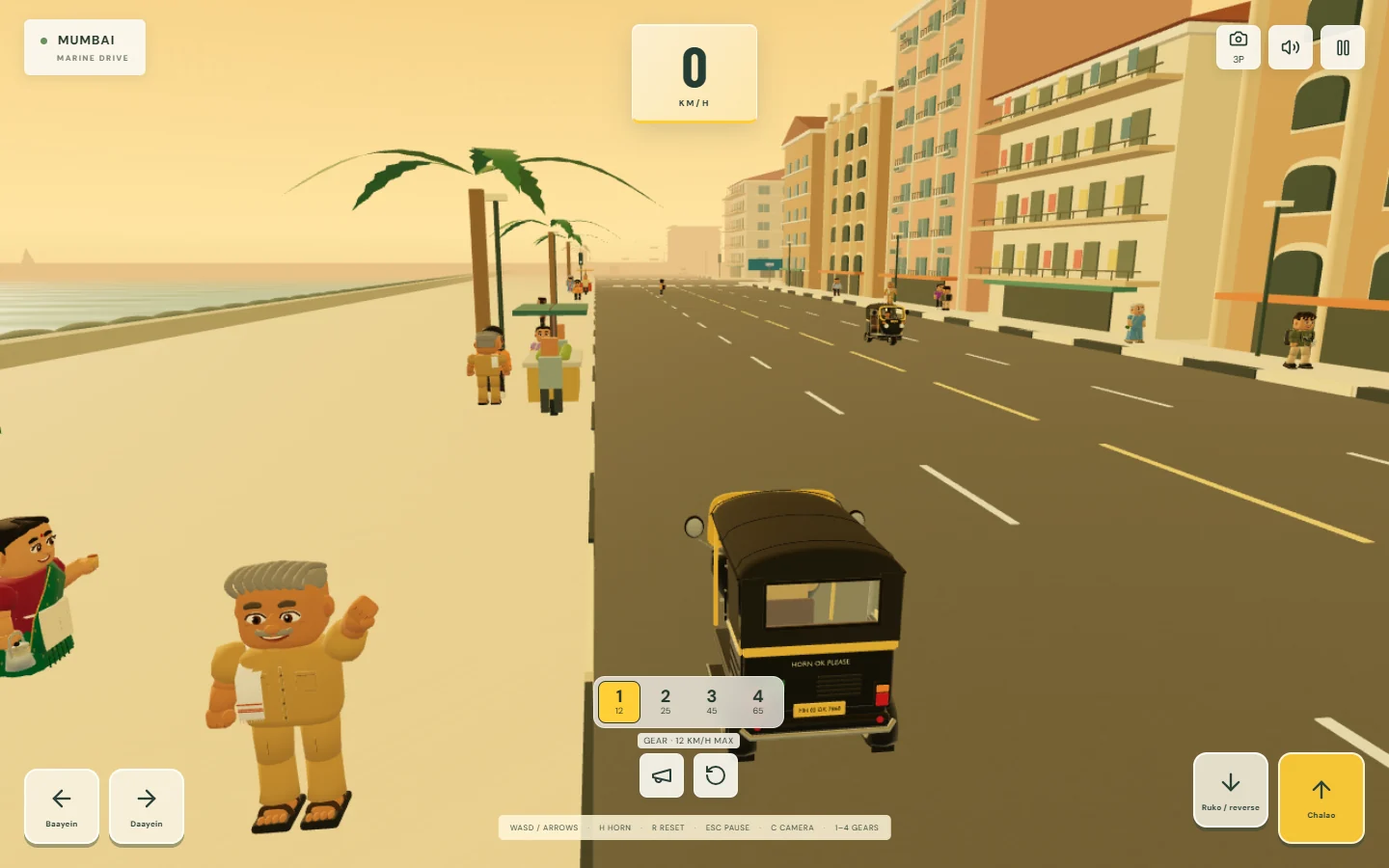
Actual browser gameplay. The streets are an independently authored interpretation of Mumbai.
Start the playable build
Open the game from the Bap Ka Rasta page. It opens in its own tab; no account or installation is required. On the landing screen, select Mera Bap Ka Rasta. Choose Mumbai, then Yahin Chalao. Select the auto rickshaw and Drive Mumbai.
The other city and vehicle cards are previews. Choosing one marked Coming soon will not start a drive. Stay with Mumbai and the auto for the currently playable combination.
Select Chal Chala when you are ready. This interaction also lets the browser start the game’s audio. You can mute the speaker control if you prefer to explore quietly.
Get comfortable with the auto
For the first stretch, choose gear 1 using the number key or the on-screen gear button. The four gears limit speed to approximately 12, 25, 45, and 65 km/h. A lower limit gives you more time to see a turn and make small steering corrections; there is no reward for reaching top speed.
Hold W or ↑ to accelerate. Hold A / D or ← / → to steer while accelerating. On a phone, hold the steering arrow and the Chalao pedal together. Begin on a wider road so you have room to see how steering changes the auto’s direction.
Release acceleration and hold S or ↓ to brake. Once stopped, keeping that control held engages reverse after a short delay. If you only want to stop, release the brake when you come to rest. On touch screens, the Ruko / reverse pedal performs the same two actions.
Choose a little route
Try moving from a broad avenue toward the sea edge, then look for a smaller side street before returning to an open road. This is a suggestion for exploring, not a mission with checkpoints. Your position can change after a reset, so use the street names in the driving display and the visible road connections rather than a fixed sequence of left and right turns.
The playable neighbourhood includes Marine Drive, Churchgate, Fort, and Colaba-inspired areas, a roundabout, and narrow bazaar lanes. The map compresses and reimagines these places for play. It is not a real-world navigation map, and a street name does not promise an exact recreation of its real location.
Slow down before a narrow lane or an intersection. Traffic, people crossing, and roadside objects share the space. A wall or closed-end barrier marks a boundary; use another connection instead of assuming every gap between buildings is a road. There is no minimap in the current build, so a short loop is a useful way to become familiar with a few neighbouring streets.
Use both camera views
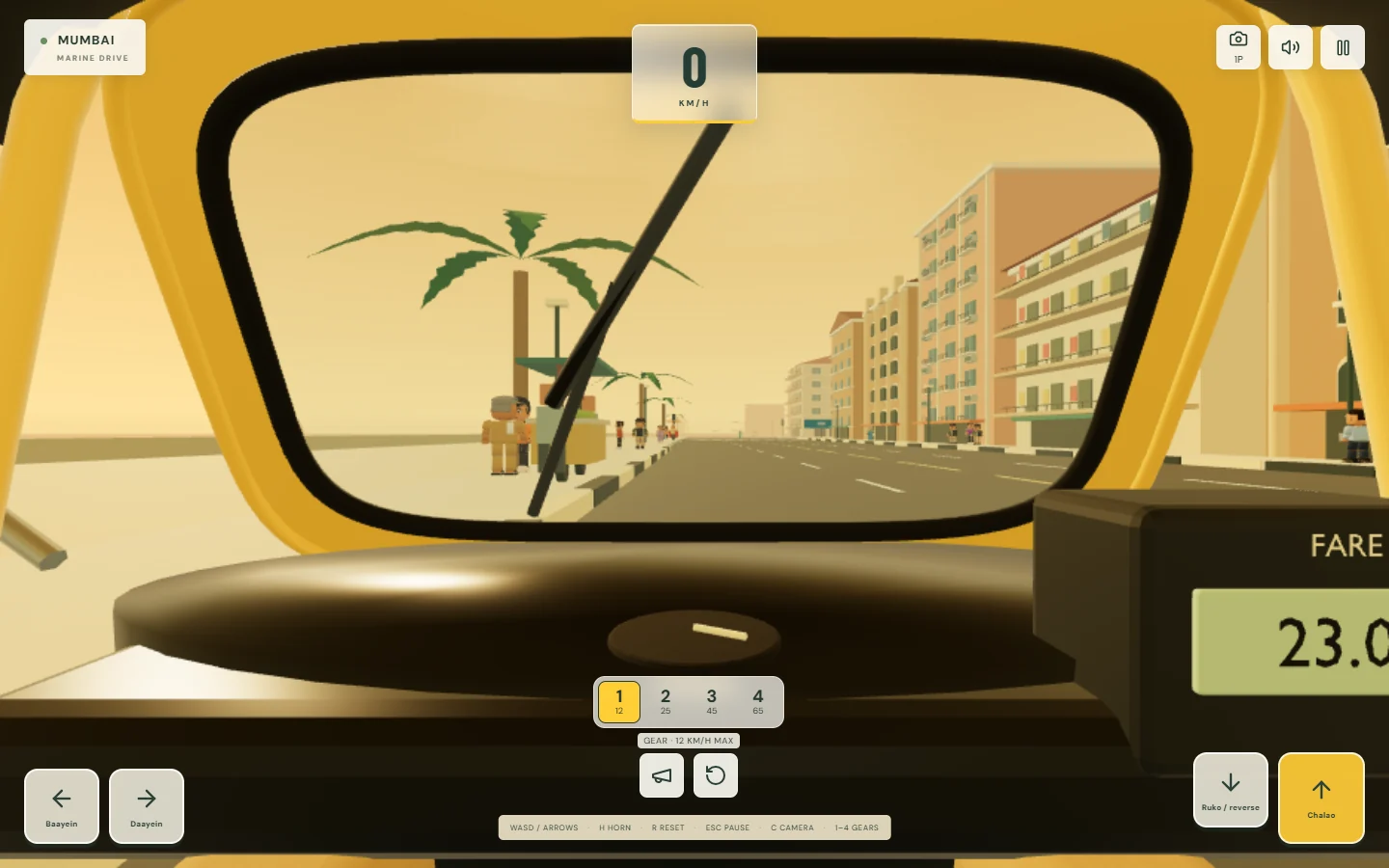
Press C, or the 3P / 1P camera button, to switch between the outside view and the driver’s view. Start outside the auto to judge its position relative to the road. Once you are comfortable, the driver’s view gives you a different sense of the cabin and the streets ahead.
The second camera moves your view into the auto’s cabin.
You can drag to look around; the view returns smoothly when you release. Stop the auto before taking a longer look at a shopfront or the sea edge. Looking away does not steer or brake for you.
Recover and keep exploring
If a collision leaves you awkwardly positioned, try braking to a stop and reversing slowly. If you remain stuck, press R or the reset button to return to a safe road position. Reset is a recovery tool, so you do not need to restart the entire game to get moving again.
Press Esc or P to pause. The game also pauses when it loses focus, including when you switch tabs. Select Chal, phir niklein to resume. If the auto seems unresponsive after returning to the tab, check for the pause panel before refreshing.
Ending a drive returns you to the landing screen. There is no saved progress or completed-mission record to restore; each visit is another chance to roam.
Adjust for your device
Use a current browser with WebGL 2 and hardware acceleration. On a phone, turning the screen sideways gives the landscape play area more room. Touch controls are included, but device performance varies and broad physical-phone and Safari testing is still in progress.
If steering looks delayed or the scene feels choppy, open the pause panel and choose Low graphics. It reduces rendering resolution and fog distance and turns off shadows. This changes presentation, not the roads available to explore. Closing other demanding tabs can also leave more resources for the game.
If sound is missing, check the speaker toggle and device volume after starting the drive. Toggling sound off and on can retry a failed audio download. If a graphics-context error appears, use the game’s retry action. For persistent problems, send your browser, device, and the step where it failed through Contact.
Know what this build includes
This is single-player free roaming, with traffic, pedestrians, street audio, four gears, and two cameras. It does not currently include missions, multiplayer, a minimap, saved progress, or a downloadable release. The driving and collisions are fictional arcade play, not guidance for driving on real roads.